Creating products as a vendor using Artistry Boutique is super easy. After you register on Artistry Boutique, you can easily create products and customize them from an intuitive dashboard (My Boutique).
So check out the documentation to know the process of creating products:-
Create a product from My Boutique
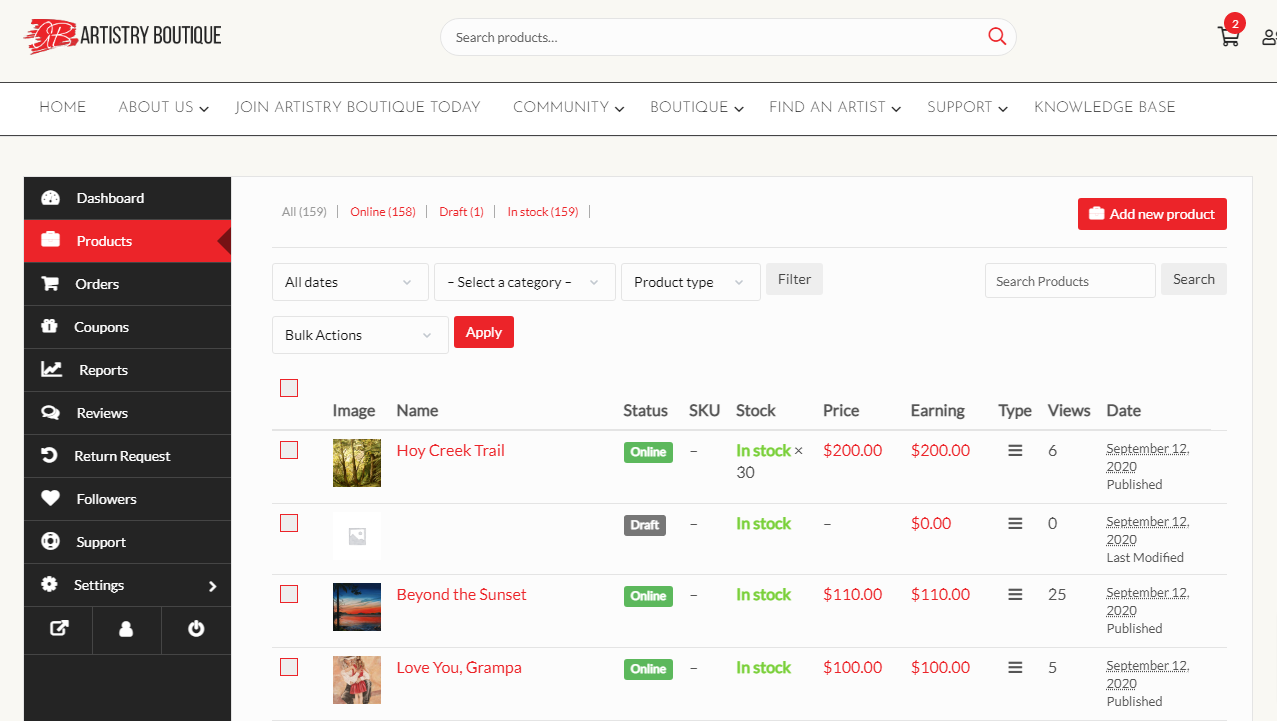
To create a product, navigate to My Boutique. And then click on Products from the left menu. After that click on the Add New Products button from the top right corner.
You’ll get a new window where you will be able to create a new product giving all the details only.
Basic Details
The common information about a product are the title, price, description. Discount price is optional. You can even schedule discounts for a certain amount of time. You can enter a starting date and end date to apply automatic discounts to your product.
Both the categories and tags have to be created by our team. You can only select them from the frontend dashboard. Because allowing you to create categories and tags might result into duplicates.