Create Tags
Vendors click on My Boutique>Product>Add New Product. Under the Select Product Tags field, add a tag and Press Enter. The word or phrase will be added as a separate tag.
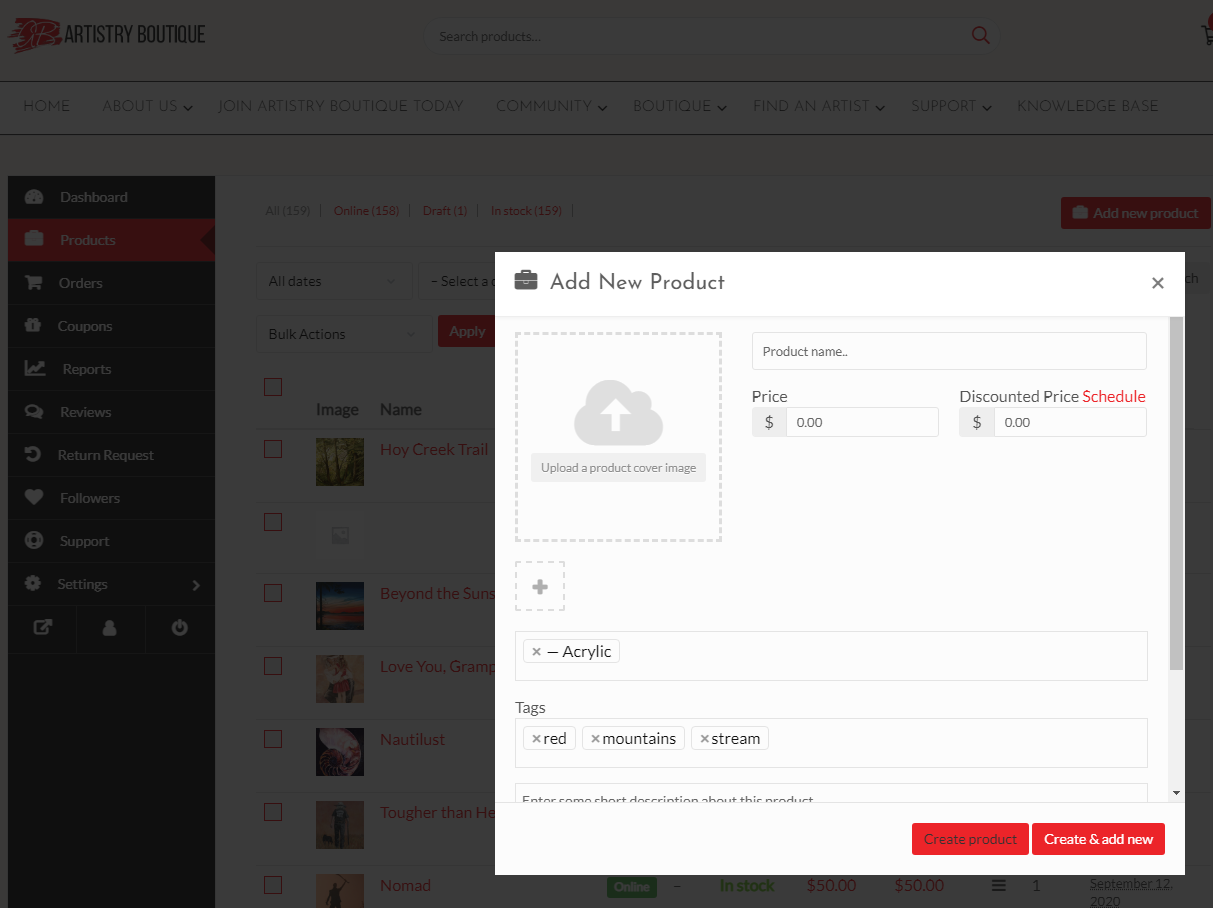
After you have provided all the required information, Click on the Create product button. It will create the product and redirect you to the product edit page, where you will be able to add more information about your product. If you want to create the product and add another one immediately, click on the Create & add new button.
After you have been redirected to the product edit page, there is an option to select a product type. You can select either a Simple or Variable product.